SF32LB52-DevKit-Core-3p3
Overview
The SF32LB52-DevKit-Core-3p3 is a compact development board for direct evaluation of SF32LB52x chips. A board jumper selects a 1.8 V or 3.3 V supply for the MCU. Main MCU signals are exposed through edge headers, and the castellated through-holes accept pin headers without soldering. The board suits engineers who need direct access to GPIO, serial buses, display signals, audio, ADC, PWM, and power rails.
At 30.88 mm × 68 mm, the board is compact for bench prototypes while providing practical interfaces for SF32LB52x hardware and firmware bring-up.
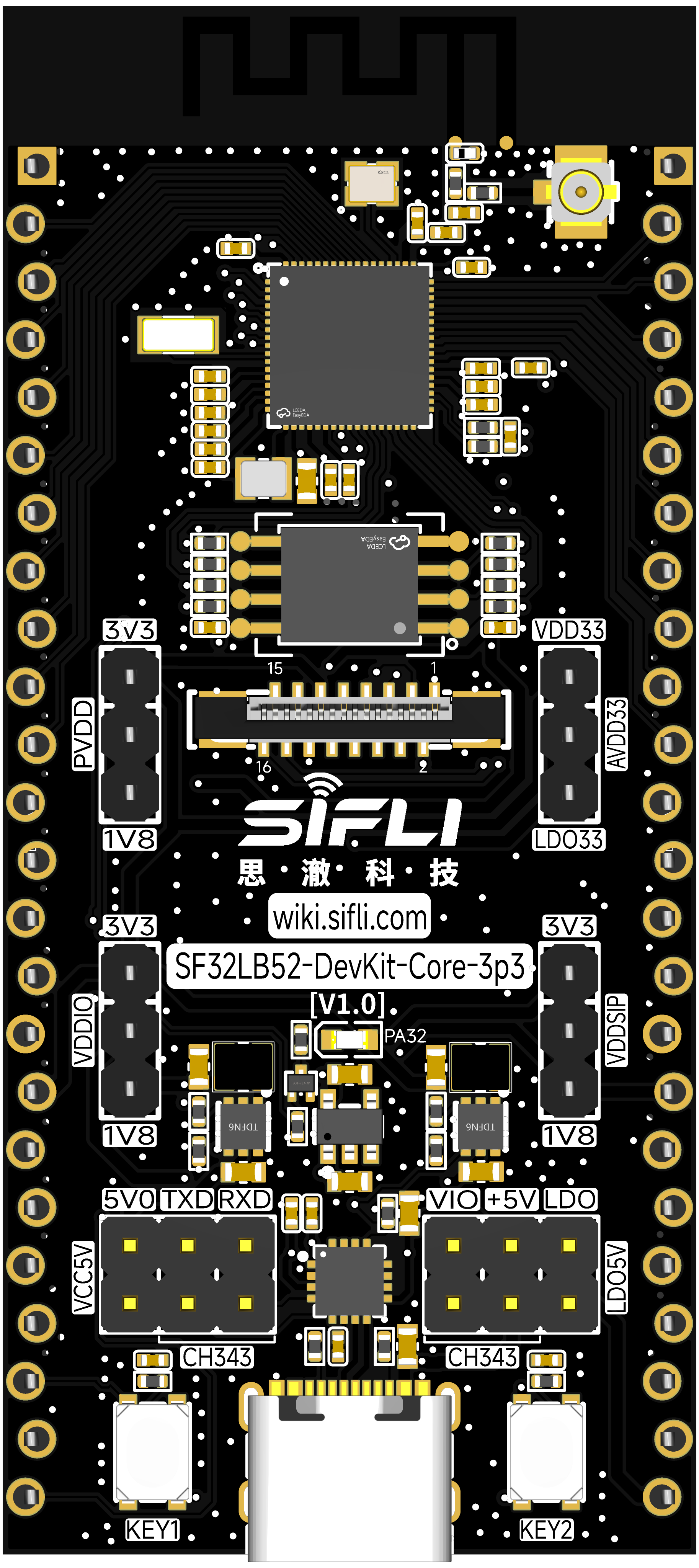
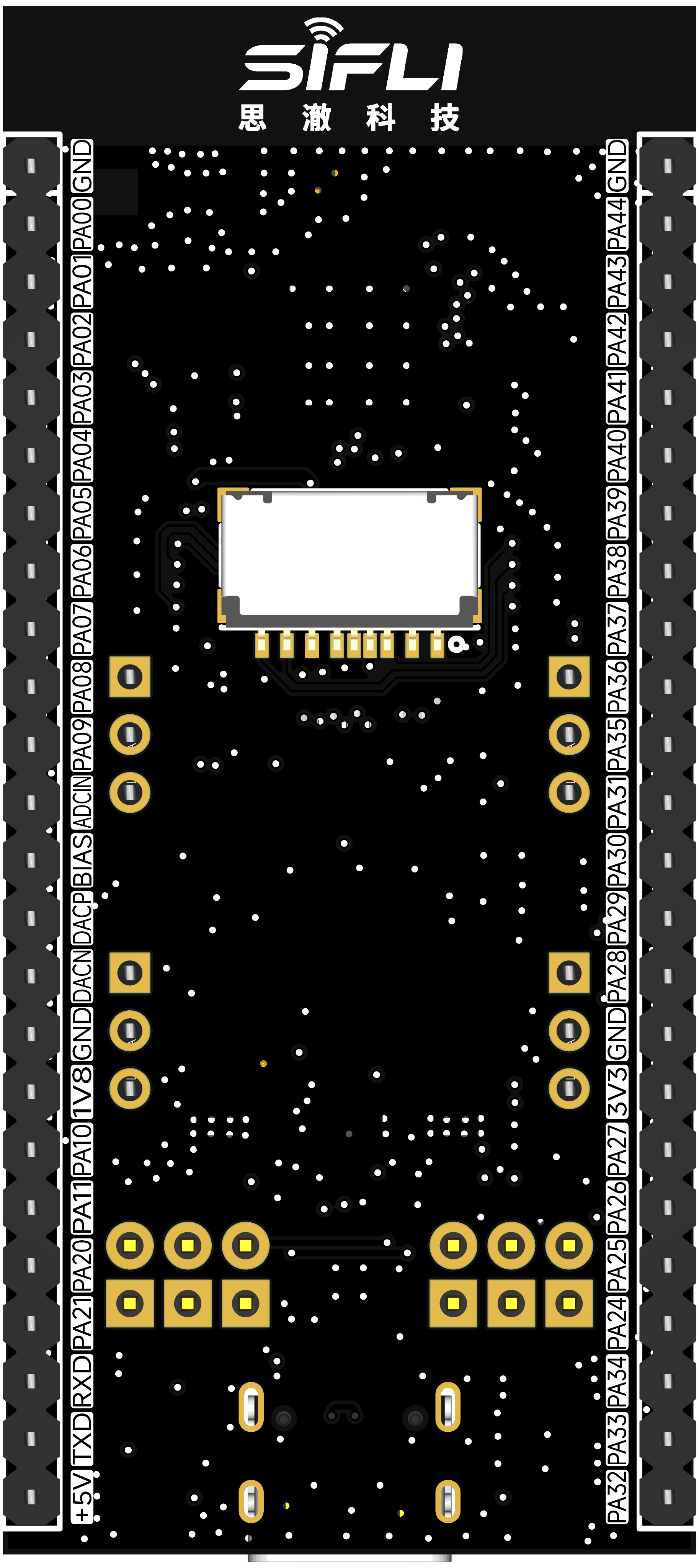
Board Variants
| Variant | MCU | In-Package Memory | On-Board Memory |
|---|---|---|---|
| SF32LB52-DevKit-Core-3p3-N1 | SF32LB52BU36 | 1 MB SPI NOR Flash | None |
| SF32LB52-DevKit-Core-3p3-N4 | SF32LB52BU56 | 4 MB SPI NOR Flash | None |
| SF32LB52-DevKit-Core-3p3-R4N16 | SF32LB52EUB6 | 4 MB OPI-PSRAM | 16 MB SPI NOR Flash |
| SF32LB52-DevKit-Core-3p3-R8N16 | SF32LB52GUC6 | 8 MB OPI-PSRAM | 16 MB SPI NOR Flash |
| SF32LB52-DevKit-Core-3p3-R16N16 | SF32LB52JUD6 | 16 MB OPI-PSRAM | 16 MB SPI NOR Flash |
Use the NOR-only variants for compact Bluetooth, control, and simple HMI work. Use the PSRAM + external NOR variants when the application needs larger graphics assets, frame buffers, file systems, or application storage.
Source discrepancy — verify the board label before selection: SiFli's detailed Core-3p3 board guide calls the SF32LB52JUD6 configuration R16N16 V1.0.0 (current), while its development-board model guide lists the same JUD6 / 16 MB PSRAM / 16 MB NOR configuration as N16R16. The detailed guide's revision-information line says EUB6 has 8 MB of co-packaged PSRAM, but its feature list and variant table say 4 MB. SiFli's SF32LB52 overview also specifies 4 MB for EUB6, so this article uses 4 MB. Confirm the board marking and matching schematic/BOM when the exact board suffix matters.
Board Highlights
- SF32LB52x MCU variants with NOR-only or PSRAM + NOR configurations
- 48 MHz main crystal and 32.768 kHz RTC crystal
- USB Type-C power and USB-to-UART download/debug through CH340N
- Onboard PCBA antenna and I-PEX antenna connector
- Jumper-selectable 1.8 V or 3.3 V supply for the MCU
- USB 2.0 FS signals routed to the edge header
- 37 GPIOs exposed; the MCU provides 3 UARTs, 4 I2C interfaces, 2 GPTIMs, 2 SPI interfaces, and 6 GPADC channels
- All GPIOs can be configured as UART, I2C, or GPTIM; pin multiplexing also includes SPI, PWM, I2S, PDM, and wake inputs
- 16-pin, 0.5 mm-pitch FPC display connector; display interfaces include SPI, DSPI, and Quad-SPI, with DDR-mode QSPI support
- I2C touch-panel signals
- Analog microphone and differential audio output pins
- One user LED
- Power key and function key
- Test points for single-rail current measurement; SiFli also documents single-MCU, minimum-system, and whole-board power tests
When to Use This Board
Choose SF32LB52-DevKit-Core-3p3 when you need the most direct access to SF32LB52x signals.
- Bring up custom daughterboards or sensor boards
- Evaluate SF32LB52x memory variants
- Prototype LCD, audio, USB, and GPIO functions
- Measure current on individual power rails
- Validate firmware before designing a compact product PCB
For a smaller castellated module-style board, use SF32LB52-DevKit-Nano. For a ready display board with audio amplifier, TF-card slot, and battery charger, use SF32LB52-DevKit-LCD.
Power
The board supports three power inputs:
- USB Type-C power, recommended for normal development and debugging
- 5 V input through the edge header's 5 V and GND pins when USB is disconnected
- 3.3 V input through the edge header's 3.3 V and GND pins when USB is disconnected; an external bench supply may be used
A separate board jumper selects the MCU supply between 1.8 V and 3.3 V. This setting is distinct from the external 1.8 V and 3.3 V header power pins; check the pinout and the schematic for the matching board revision before changing the jumper or powering external circuitry.
For single-rail current measurements, place an ammeter in series with the rail under test at the board's measurement points.
When USB Type-C is connected, the board can also provide 3.3 V, 1.8 V, and 5 V outputs through selected header pins. Confirm the required direction before connecting external circuits.
The board includes a power switch. The CH340N RTS# signal can control board enable, allowing the host tool to reset the MCU during download or debug workflows.
Download and Debug
Use the USB Type-C UART port for firmware download and software debug.
- Download mode: enable BOOT in the download tool, then power or reset the board.
- Debug/log mode: disable BOOT, then power or reset the board.
- Reset: use the on-board reset/power-key function or the tool-controlled RTS reset path.
User Controls
| Function | GPIO | Behavior |
|---|---|---|
| LED | PA32 | Active high |
| KEY1 | PA34 | Active high, supports 10s long-press reset |
| KEY2 | PA33 | Active high |
Display Interface
The board supports SPI, DSPI, and Quad-SPI LCD interfaces, including DDR-mode QSPI, through a vertical 16-pin FPC connector with 0.5 mm pitch, a flip-up latch, and bottom contacts. It carries LCD reset, backlight PWM, TE, chip select, clock, four data lines, and I2C touch signals.
16-Pin LCD FPC Signal Map
| Pin | Signal | Function |
|---|---|---|
| 1 | GND | Ground |
| 2 | PA00 | LCD reset |
| 3 | PA01 | Backlight PWM |
| 4 | PA02 | LCD TE / I2S1_MCLK |
| 5 | PA03 | LCD CS / I2S1_SDO |
| 6 | PA04 | LCD CLK / I2S1_SDI |
| 7 | PA05 | LCD D0 / I2S1_BCK |
| 8 | PA06 | LCD D1 / I2S1_LRCK |
| 9 | PA07 | LCD D2 / PDM1_CLK |
| 10 | PA08 | LCD D3 / PDM1_DAT |
| 11 | 3.3V | Display power output |
| 12 | GND | Ground |
| 13 | PA09 | Touch interrupt |
| 14 | PA11 | Touch I2C SDA |
| 15 | PA20 | Touch I2C SCL |
| 16 | PA10 | Touch reset |
SiFli's Chinese board guide says the 1.85-inch AMOLED module connects directly through a 16-pin FPC cable. Its English guide instead specifies an FPC-22p cable, and the illustration filename is FPC-22P. The board connector itself is 16-pin. The sources do not resolve this mismatch; verify the cable pin count and pin mapping against the display module before connecting it.
Header Signal Summary
The board exposes two 24-pin edge headers. The first side focuses on general GPIO, SPI2, USB, GPADC, and power. The second side focuses on LCD, touch, debug UART, audio, and power.
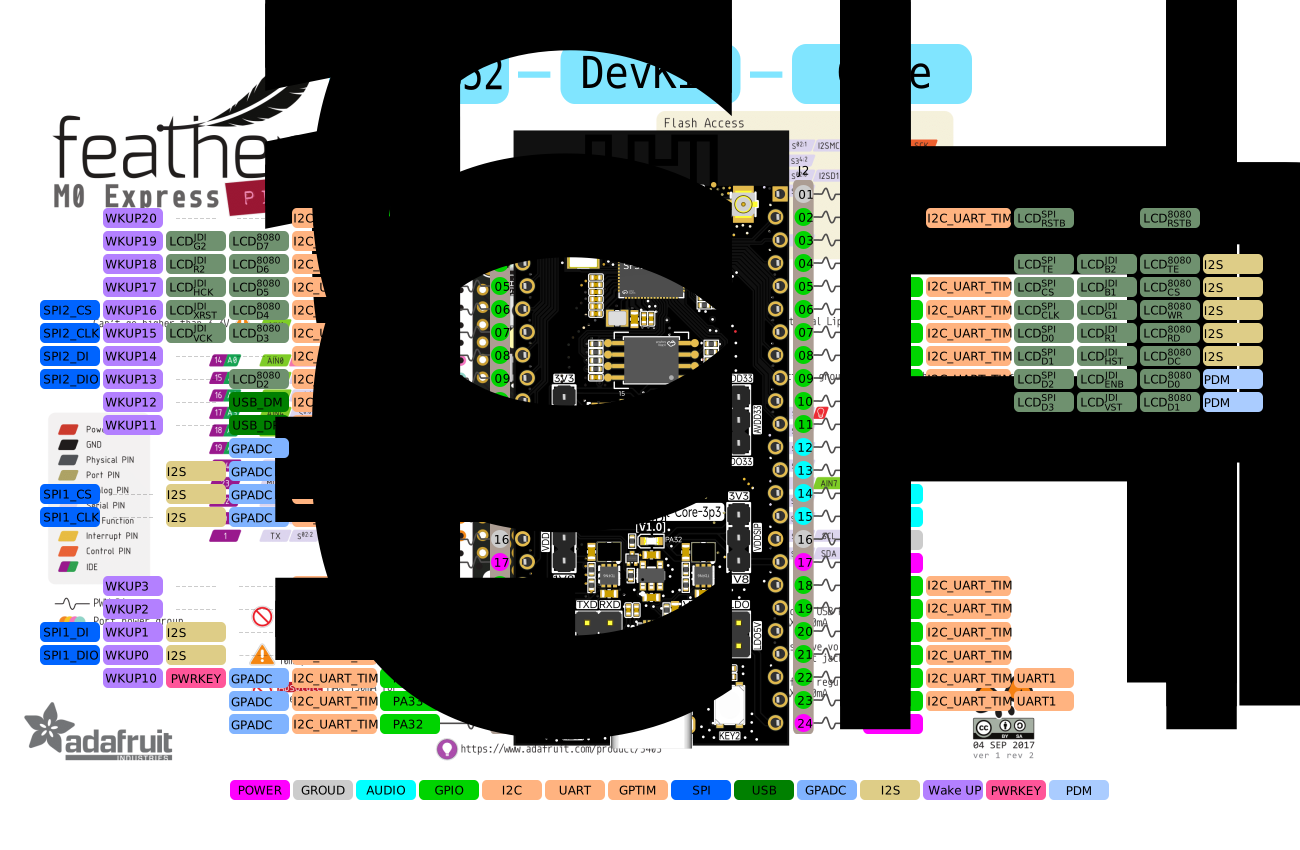
General I/O Header
| Pin Range | Signals | Main Functions |
|---|---|---|
| 2-9 | PA44..PA37 | UART, I2C, GPTIM, SPI2, wake inputs |
| 10-11 | PA36 / PA35 | USB DM / USB DP, UART, I2C, GPTIM |
| 12-15 | PA31..PA28 | GPADC3..0, SPI1, I2S1, UART, I2C |
| 17 | 3.3V | 3.3V input or output depending on USB power |
| 18-21 | PA27..PA24 | Wake inputs, SPI1, I2S1 |
| 22 | PA34 | UART, I2C, GPTIM, GPADC6, WKUP10 |
| 23-24 | PA33 / PA32 | UART, I2C, GPTIM, GPADC5 / GPADC4 |
LCD, Audio, and Debug Header
| Pin Range | Signals | Main Functions |
|---|---|---|
| 2-11 | PA00..PA09 | LCD, touch, PDM, I2S, UART, I2C |
| 12-15 | MIC_ADC, MIC_BIAS, DACP, DACN | Analog microphone and audio output |
| 17 | 1.8V | 1.8V input or output depending on USB power |
| 18-20 | PA10, PA11, PA20 | PA10: CTP_RST; PA11: CTP_SDA; PA20: CTP_SCL; all support UART, I2C, and GPTIM |
| 21 | PA21 | UART, I2C, GPTIM |
| 22-23 | PA18 / PA19 | UART0 RX/TX, SWDIO/SWCLK, download/debug |
| 24 | 5V | 5V input or output depending on USB power |
External Flash and SDIO Pins
Some variants include an external 16 MB QSPI-NOR Flash. The shared storage/SDIO pin group is:
| MCU GPIO | Shared Flash / SDIO Function |
|---|---|
| PA12 | MPI2_CS / SD1_D2 |
| PA13 | MPI2_D1 / SD1_D3 |
| PA14 | MPI2_D2 / SD1_CLK |
| PA15 | MPI2_D0 / SD1_CMD |
| PA16 | MPI2_CLK / SD1_D0 |
| PA17 | MPI2_D3 / SD1_D1 |
Check whether these pins are already occupied by the mounted Flash before using them for SDIO or other expansion functions.
Audio Expansion
The board routes analog microphone bias/input and differential DAC output. The microphone and a Class-AB/D amplifier for driving a speaker are external; select them for the intended audio path.
SDK Build Targets
The SiFli SDK build configuration uses the following exact board-target names with scons --board=<board_name>:
sf32lb52-core_n4sf32lb52-core_n16r16
These are SDK build-target identifiers, not necessarily the product names printed on a board or module. The Supported Boards index and the SDK's build_config_gcc.yaml may enumerate different sets; confirm the target against the SDK revision in use.
Related Documents
Last updated: