SF32LB58-DevKit-LCD
Overview
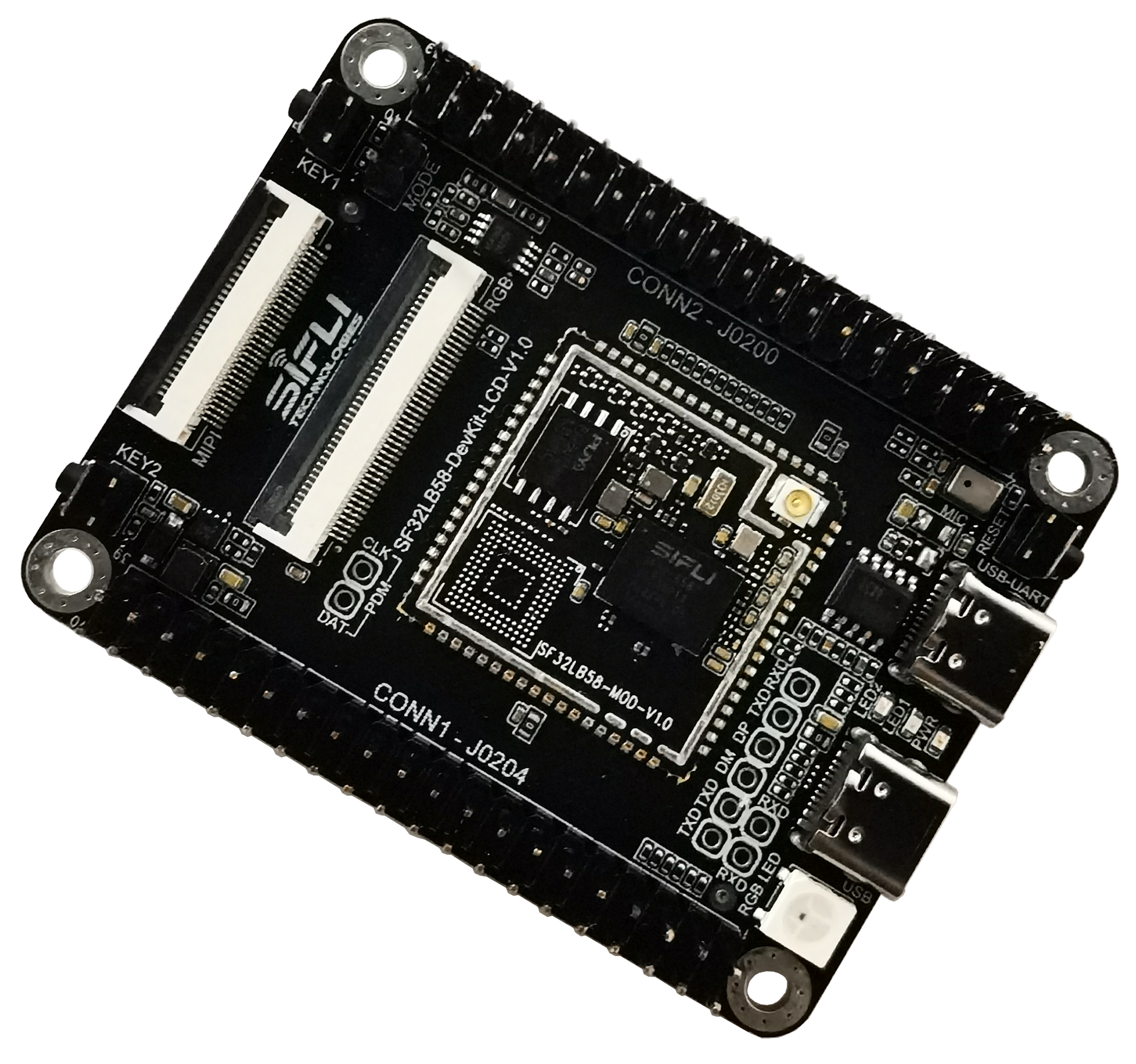
The SF32LB58-DevKit-LCD is a development board built around the SF32LB58-MOD module family. It supports products using DSI, DPI/RGB, or QSPI displays and provides a practical platform for validating high-resolution UI, audio, storage, USB, and peripheral integration.
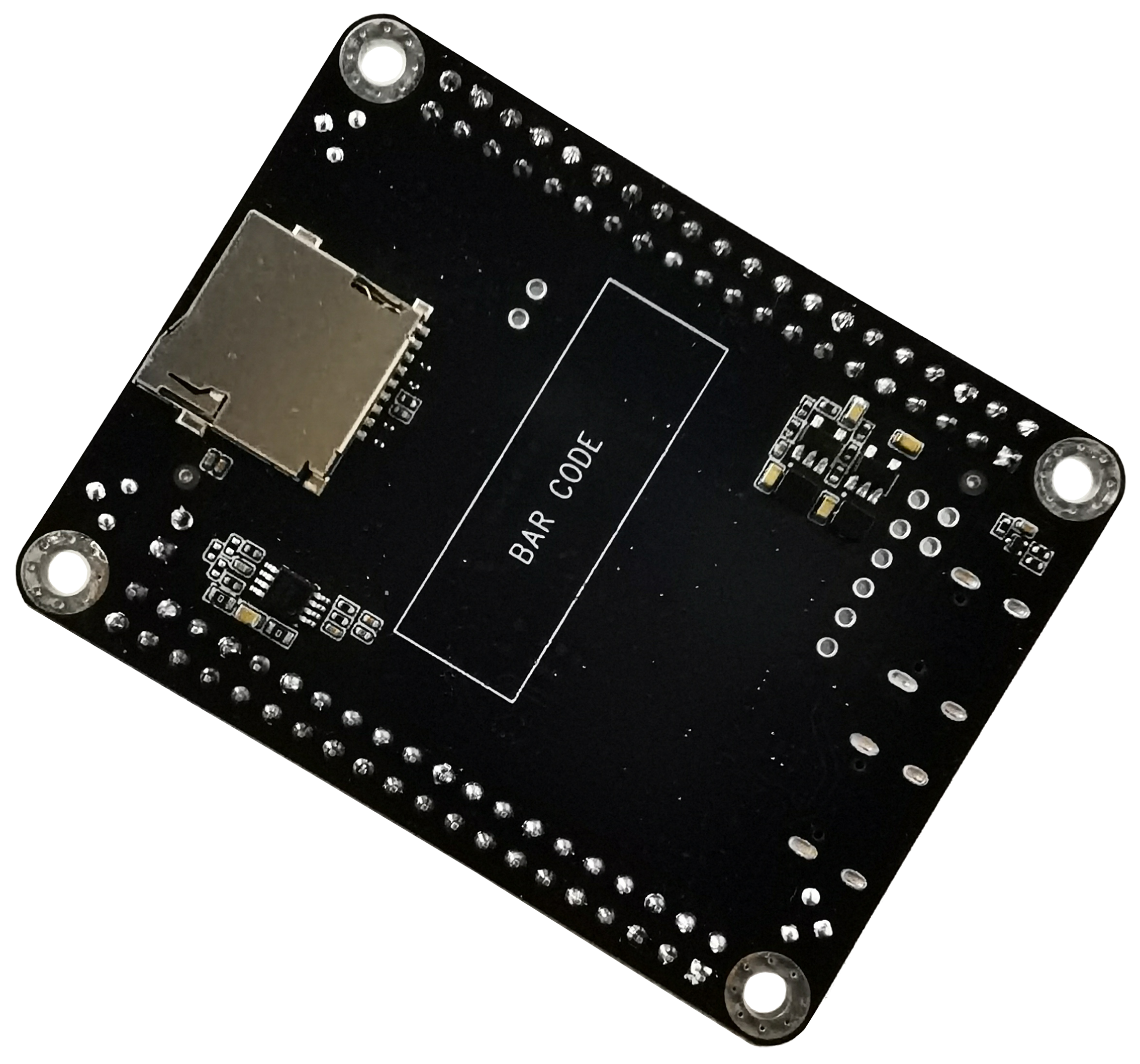
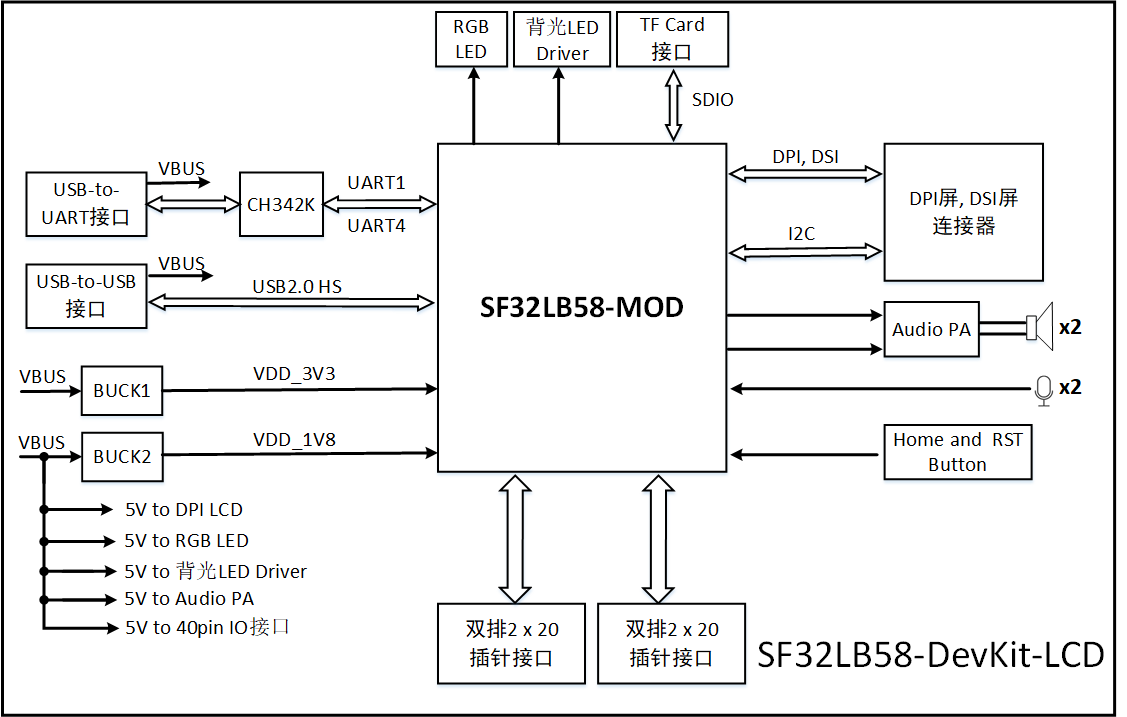
The board brings together the SF32LB58x module, multiple display connectors, analog microphone input, stereo speaker output, MicroSD, dual USB Type-C ports, large-core and low-power-core expansion headers, and accessory interfaces such as CAN and SDIO Wi-Fi expansion.
Use the board to validate display, storage, audio, USB, and external peripherals together before committing to a custom design.
Board and Module Version Notes
| Module Version | Basis | Notes |
|---|---|---|
| V1.0.1 | SF32LB58-MOD-N16R32N1 and SF32LB58-MOD-A128R32N1 using SF32LB586VDD36 | Current version; updates eMMC power control so PA74 controls VCC and PA80 controls VCCQ; adds resistor R0115 |
| V1.0.0 | SF32LB58-MOD-N16R32N1 using SF32LB586VDD36 | Initial module version, as listed in SiFli's module-version section |
| Board Version | Basis | Notes |
|---|---|---|
| V1.0.1 | SF32LB58-MOD-N16R32N1-V1.0.1 and SF32LB58-MOD-A128R32N1-V1.0.1 | Current version; adds USB plug detection on PB24; changes the PTC to 2 A / 6 V to support maximum dual-audio output; removes the RGB LED level-shift stage because its timing is unsuitable; replaces the DC/DC converter to reduce output ripple; removes the USB DP pull-up resistor to fix the USB-device interrupt issue |
| V1.0.0 | SF32LB58-MOD-N16R32N1-V1.0.0 with SF32LB587VEE56 | Initial public board version |
The SiFli source is inconsistent for V1.0.0: its module-version section identifies SF32LB586VDD36, while its board-version section identifies SF32LB587VEE56 for a board carrying the N16R32N1-V1.0.0 module. Confirm the silicon and module markings on the actual hardware, and check the matching design files before selecting a firmware target or relying on a storage configuration.
Board Highlights
- SF32LB58-MOD-N16R32N1 or SF32LB58-MOD-A128R32N1 module, depending on board version
- V1.0.1 uses SF32LB586VDD36 with dual 16 MB HPI-PSRAM and 1 MB in-package QSPI-NOR; the V1.0.0 MCU identifier conflicts in SiFli's source (see the version note above)
- Additional 16 MB QSPI-NOR or 128 MB QSPI-NAND, depending on module variant
- 48 MHz main crystal and 32.768 kHz RTC crystal
- IPEX antenna connector and module RF matching network
- MIPI DSI / RGB888 display support through dedicated FPC connectors
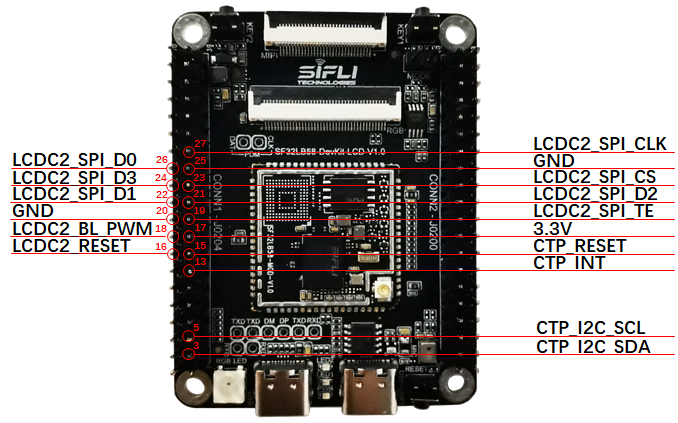
- Dual QSPI / DSPI / SPI display paths exposed through 40-pin headers
- I2C touch-panel support
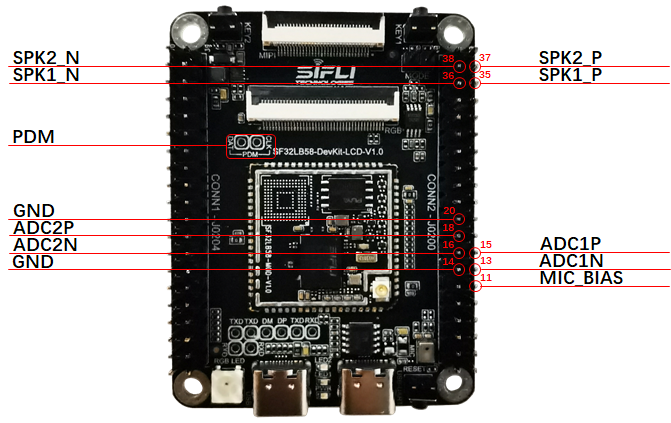
- On-board analog microphone input and stereo Class-D audio output
- Two USB Type-C ports: one for USB-to-UART download/debug, one for USB 2.0 HS
- MicroSD card slot over SDIO
- Large-core and low-power-core GPIO expansion through two 40-pin headers
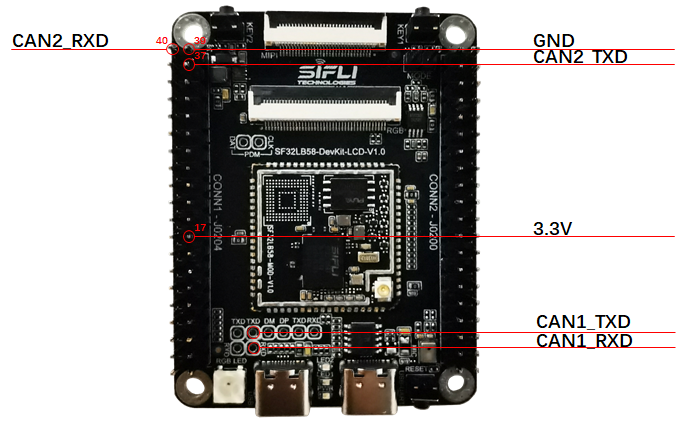
- CAN and SDIO Wi-Fi expansion capability
When to Use This Board
Choose SF32LB58-DevKit-LCD when the project needs a realistic high-end display and peripheral validation platform rather than a minimal breakout board.
- Bring up MIPI DSI, RGB888, or QSPI display panels
- Validate touch, audio, storage, and USB together
- Test high-resolution UI behavior on the SF32LB58x platform
- Evaluate CAN or SDIO Wi-Fi expansion
- Compare NOR and NAND-backed module configurations
- Validate firmware on a flagship-class board before custom PCB work
For module-level integration planning, also review SF32LB58-MOD. For chip-family architecture and display/memory capability, see SF32LB58x.
Hardware Configuration
| Area | Configuration |
|---|---|
| Core module | SF32LB58-MOD-N16R32N1 or SF32LB58-MOD-A128R32N1 |
| MCU by board revision | V1.0.1: SF32LB586VDD36; V1.0.0: SiFli source discrepancy (see version note above) |
| In-package memory (V1.0.1) | 16 MB + 16 MB HPI-PSRAM, plus 1 MB QSPI-NOR |
| Additional storage | 16 MB QSPI-NOR or 128 MB QSPI-NAND, depending on module variant |
| Display | MIPI DSI, DPI/RGB888, and QSPI panel support |
| Audio | On-board analog microphone path plus stereo speaker output |
| USB | USB-to-UART Type-C and USB 2.0 HS Type-C |
| USB-to-UART channels | The SiFli board model guide lists two CH343K USB-to-UART debug channels; the detailed board guide does not map each channel to a specific Type-C connector |
| Storage | MicroSD card slot over SDIO |
| Antenna | Module RF path with IPEX connector |
| Expansion | Two 40-pin headers for large-core and low-power-core expansion |
| Controls and test points | Two user buttons (HOME/long-press reset and function), a separate reset button, MODE boot jumper, and UART/USB/CAN test points |
| Power conversion | On-board DC-DC converters; the SiFli V1.0.1 change log records a converter replacement to reduce output ripple but does not identify the part number. Verify the exact revision in the schematic/BOM. |
| Board dimensions / operating temperature | 65 × 50 mm / −40 to 85 °C |
Getting Started
Required Hardware
- SF32LB58-DevKit-LCD board
- LCD module using MIPI DSI, RGB888, or QSPI, as appropriate
- USB 2.0 data cable, Type-A to Type-C or equivalent
- Host computer running Windows, Linux, or macOS
Optional Hardware
- Two speakers
- TF / MicroSD card
- J-Link or compatible SWD debugger
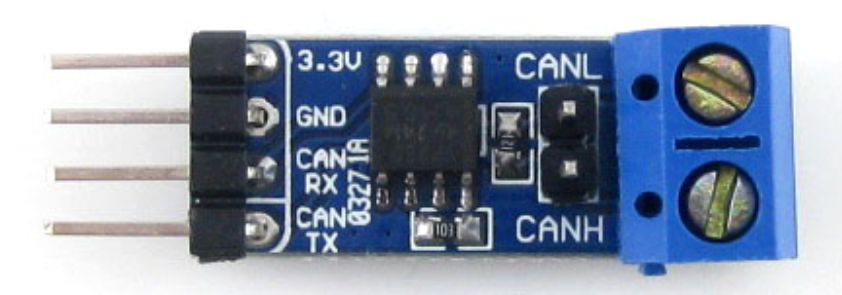
- CAN transceiver board
- SDIO Wi-Fi module
Basic Setup
- Connect the target display panel to the correct LCD connector.
- Connect the USB-to-UART Type-C port to the host computer.
- Open SiFli's download tool and select the correct COM port.
- Install or remove the Mode jumper depending on whether you want download mode or normal run mode.
- Power the board and download or run the target firmware.
- After display bring-up, validate touch, audio, storage, and any expansion peripherals required by the product.
Use a real data-capable USB cable. Some Type-C cables provide power only and will not expose the UART or USB data path.
Power
SF32LB58-DevKit-LCD is powered from USB Type-C.
- Both on-board USB Type-C connectors can supply power to the board
- For firmware download and UART logging, use the USB-to-UART Type-C port
- Plan the USB 2.0 HS Type-C port separately when validating native USB functions
Download and Debug
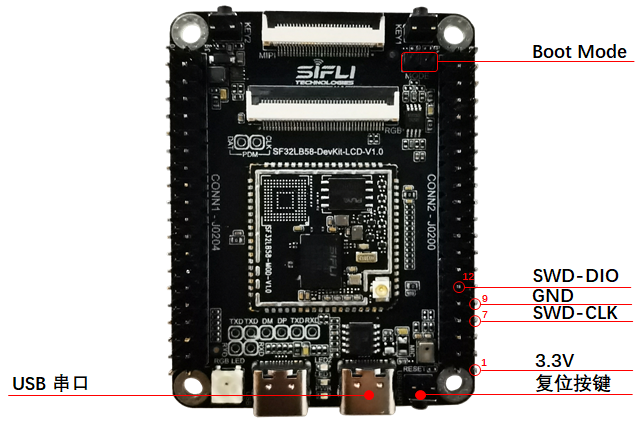
The primary firmware download and serial-log interface is the USB-to-UART Type-C port.
- Download mode: install the Mode jumper, then power or reset the board
- Software debug/log mode: remove the Mode jumper, then power or reset the board
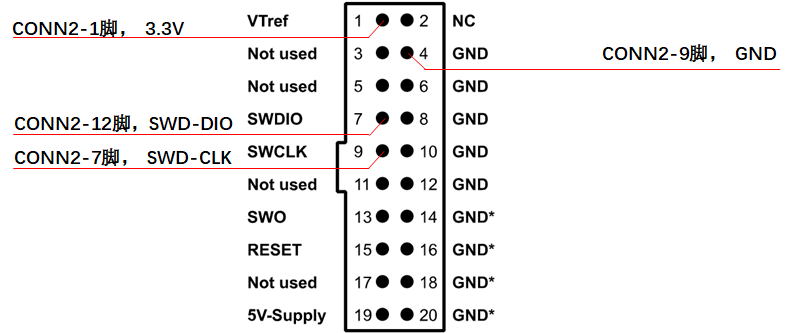
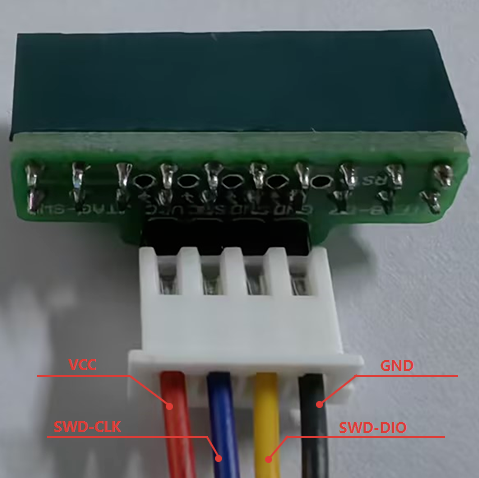
The board also supports J-Link / SWD debug.
SDK Build Targets
The SiFli SDK build configuration uses the following exact board-target names with scons --board=<board_name>:
sf32lb58-lcd_a128r32n1_dsisf32lb58-lcd_a128r32n1_qspisf32lb58-lcd_n16r32n1_dpisf32lb58-lcd_n16r32n1_dsisf32lb58-lcd_n16r32n1_qspisf32lb58-lcd_n16r64n4
These are SDK build-target identifiers, not necessarily the product names printed on a board or module. The Supported Boards index and the SDK's build_config_gcc.yaml may enumerate different sets; confirm the target against the SDK revision in use. In particular, the index and build configuration do not describe every 58-series target in the same way, and the current development-board model guide does not list a matching physical SKU for sf32lb58-lcd_n16r64n4.
Key Module and Expansion Signals
The board exposes both module-level signals and two 40-pin expansion headers. Use the module datasheet and schematic package for the exhaustive pin map; the summary below covers the most design-relevant groups.
| Signal Group | Typical Pins / Signals | Main Use |
|---|---|---|
| Download and debug | PB36, PB37, SWDIO, SWCLK, Boot_Mode, RSTN | UART download, software debug, SWD bring-up |
| MicroSD | PA75, PA76, PA77, PA70, PA81, PA79, PB58 | SDIO card interface and card detect |
| RGB LCDC1 | PA12–PA15, PA22–PA27, PA43–PA48, PA50, PA53–PA58, PA61–PA63, PA65, PA67 | RGB888 display path |
| MIPI DSI LCDC1 | DSI_D0–DSI_D3 and DSI_CLK differential pairs | MIPI DSI display path; documented operation supports up to two data lanes |
| QSPI LCDC1 | PA82, PA84, PA86, PA88, PA90, PA91, PA51, PA52 | QSPI display path on the large-core side |
| QSPI LCDC2 | PB02–PB04, PB06, PB08–PB10, PB23, PB27, PB30, PB31, PB34 | QSPI display path on the low-power-core side |
| Touch | PA16, PA17, PA59, PA60, PA92, PA93 | Reset, interrupt, and I2C touch-panel signals |
| Audio | AU_DAC1/2, AU_ADC1/2, MIC_BIAS, PB23 | Analog audio input/output and PA enable |
| CAN / general expansion | PA02, PA11 and header GPIO groups | CAN and peripheral expansion |
Display Interfaces
The board supports three main display paths:
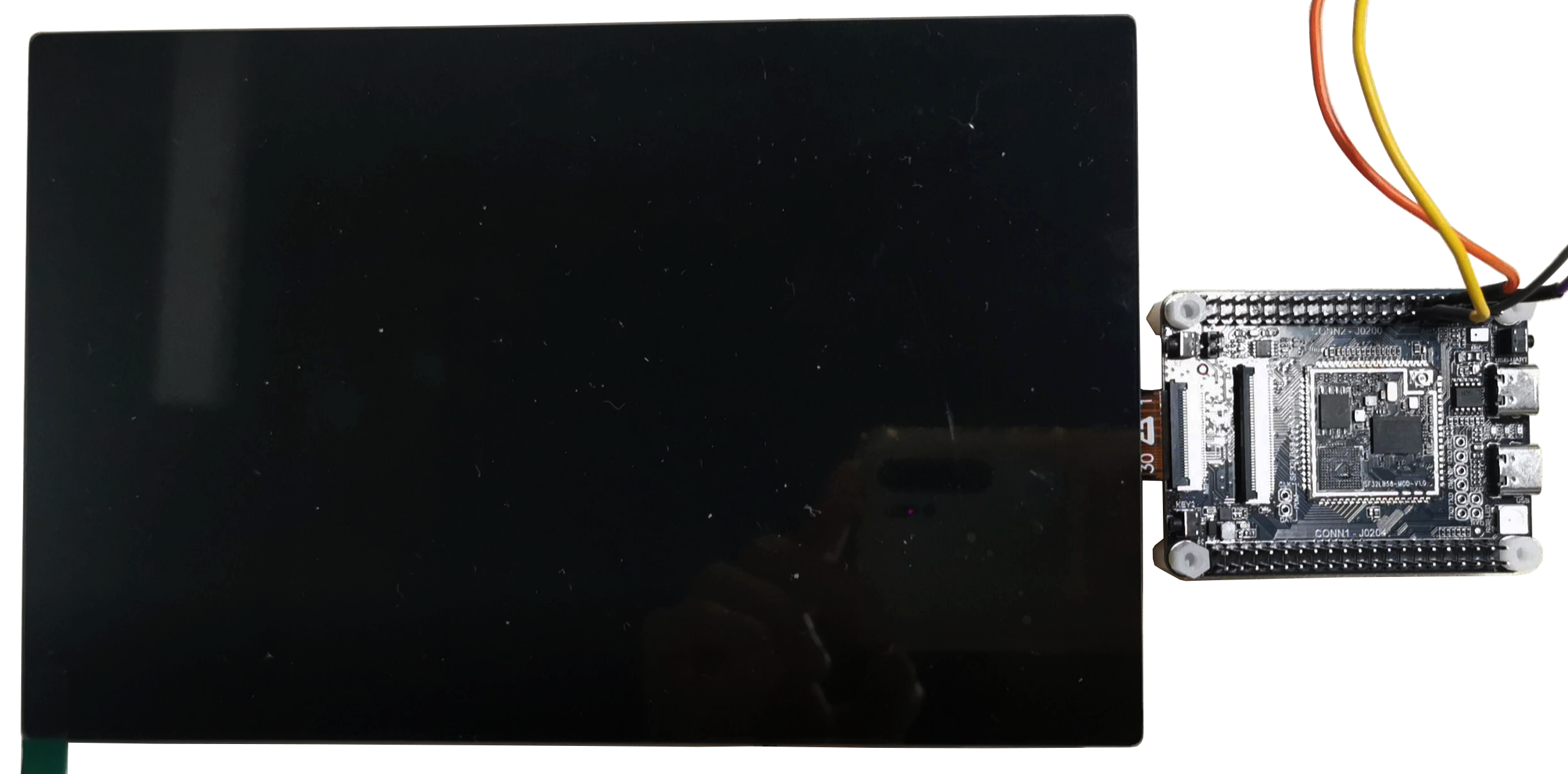
- MIPI DSI through a 30-pin, 0.5 mm-pitch FPC connector
- RGB888 through a 40-pin, 0.5 mm-pitch FPC connector compatible with the common ALIENTEK RGB pinout
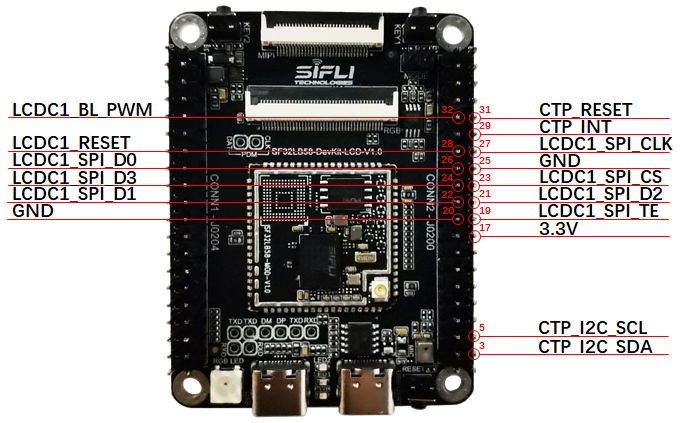
- QSPI / DSPI / SPI through the two 40-pin expansion headers
Supported display guidance from the SiFli source includes:
- MIPI DSI panels up to 2-lane transfer and up to 1280 × 800 resolution
- RGB888 panels up to 1280 × 800 resolution
- QSPI panels up to 512 × 512 resolution
MIPI DSI lane count
The board's 30-pin connector pinout labels D0–D3, but the board guide and SDK document operation with up to two data lanes. Do not infer four-lane support from the connector labels. Verify the lane wiring for the exact panel and board revision before use.
Audio
The board supports:
- One on-board microphone input path
- Two audio ADC input paths; resistor jumpers select whether one shared path connects to the on-board microphone or the 40-pin header input
- Two speaker outputs
- One PDM signal path that is multiplexed with RGB signals and therefore unavailable while the RGB display path is active
SiFli's detailed board guide rates stereo analog output at up to 2.8 W/4 Ω, while its development-board model guide lists 3 W/4 Ω for the two speaker outputs. Neither source says whether the rating is per channel or combined. Verify the exact board revision, schematic, and amplifier supply/load conditions before selecting speakers; do not treat either figure as a guaranteed per-channel output.
CAN and SDIO Wi-Fi Expansion
The underlying SF32LB58 module includes a CAN controller, and the board exposes the interface for use with an external transceiver.
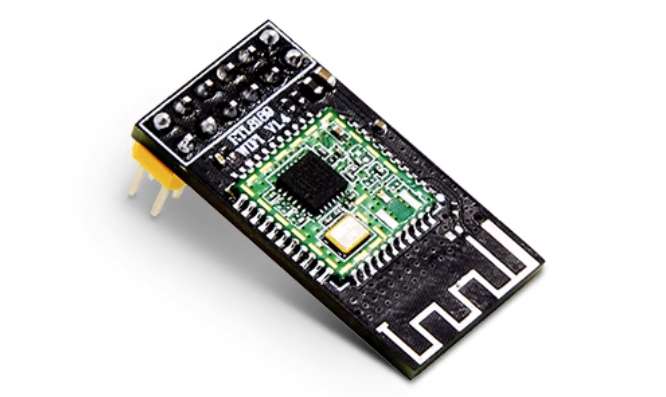
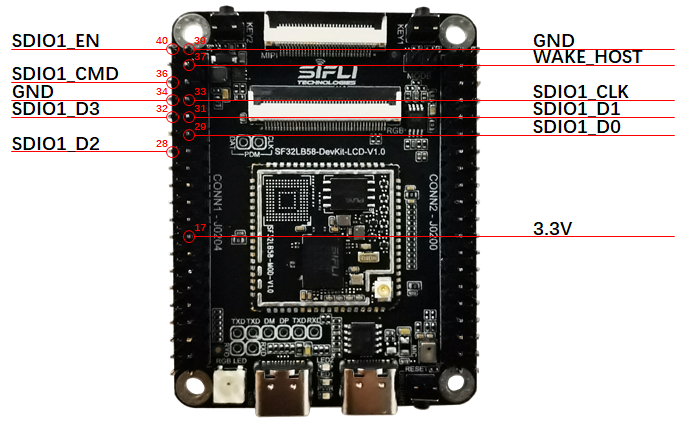
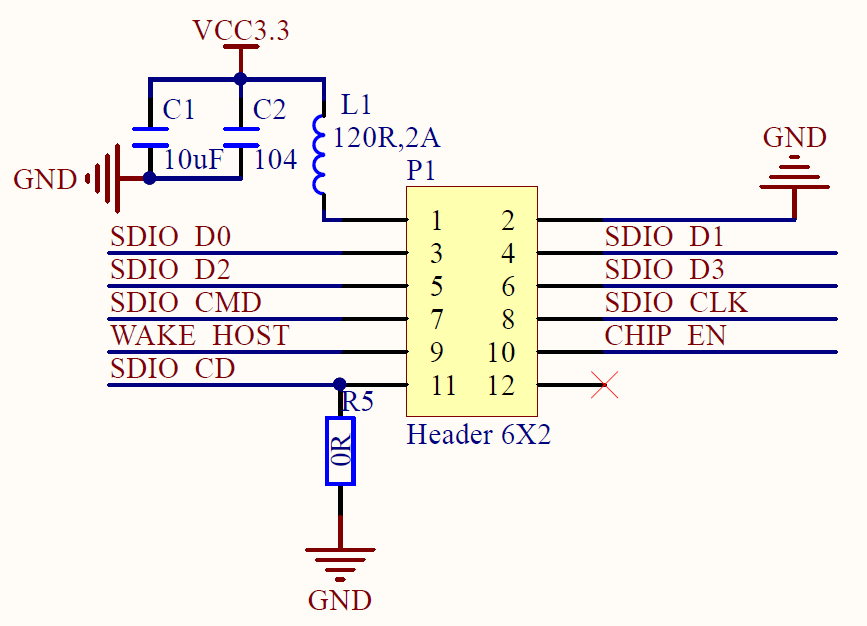
The board also supports SDIO Wi-Fi expansion through the header interface.
Related Documents
Last updated: